
Meet Rally: Your Partner V2 Now Plays Like a Real Opponent
A ball machine feeds you balls. A real opponent makes you think. Rally gives the Partner V2 a playing style of its own, so you can practice against the kind of player who gives you trouble, whenever you want.
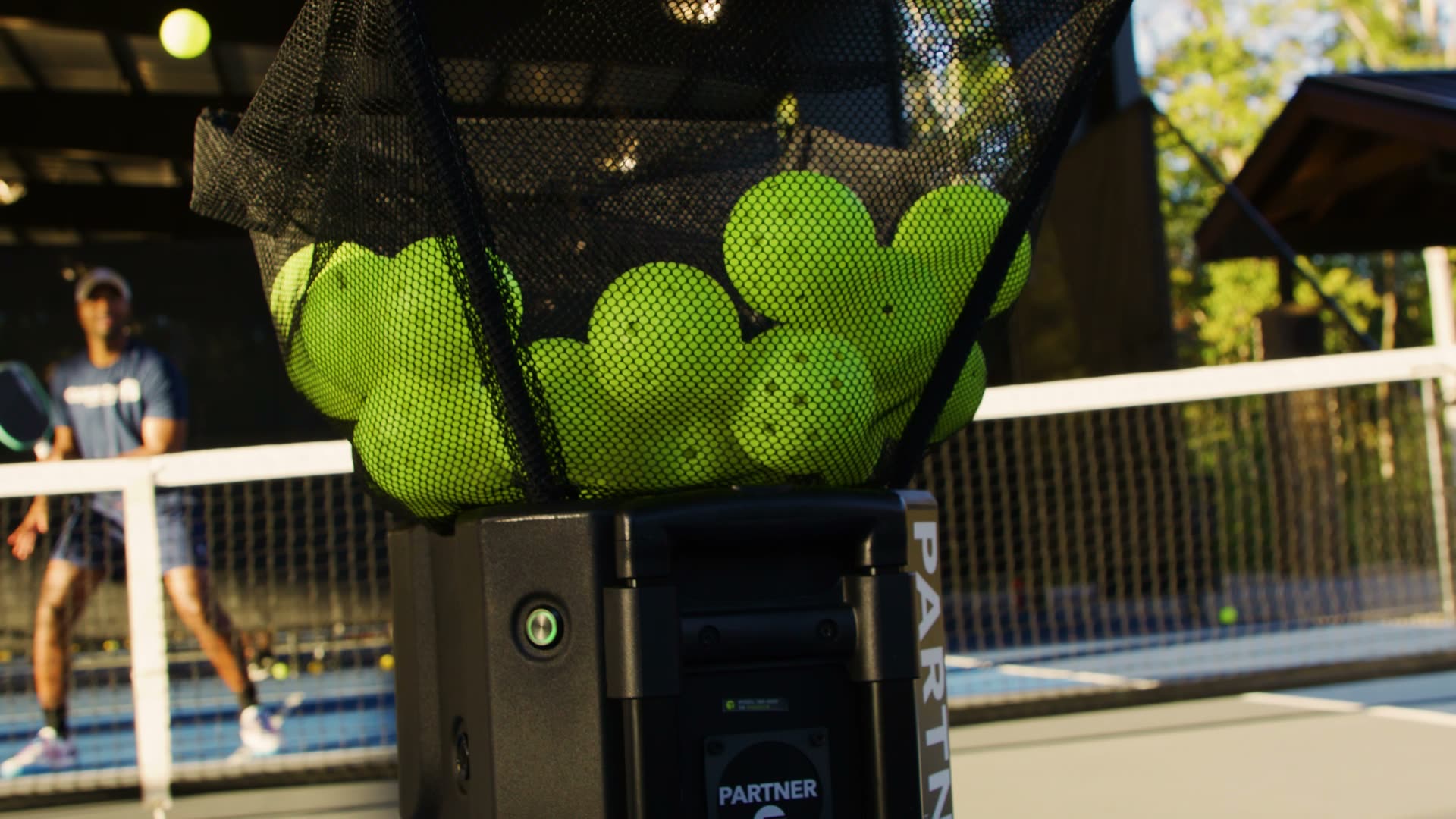
Rally at a glance
- What it is
- A mode that makes the Partner V2 play like an opponent with a specific playing style.
- How it works
- Set your level, pick an opponent, tap Start Rally.
- Sports
- Tennis and pickleball.
- Opponents
- Six at launch, three per sport, with more coming in app updates.
- Price
- Free for every Partner V2 owner. No subscription.
- Machines
- Partner V2 only. It is not available on the Partner Lite.
What Rally Is
Rally is a free Partner V2 feature that turns the ball machine into an opponent with a playing style. You set your level, pick who you want to play, and the Partner V2 moves around the court and feeds shots from where that player would hit them. It is the first time a ball machine plays with a style of its own.
Rally runs in the Tennibot app and comes with a firmware update for the machine. It works for tennis and pickleball, and it launches with six opponents.
Why We Built It
Every player knows the opponent who gives them trouble. The banger who never lets up. The dinker who never misses. The one who waits until you crowd the net, then lobs it over your head.
The problem is you can’t practice against them on demand. A hitting partner is hard to schedule, and a drill is built around the shots you choose, not the player across the net. Matches are where you finally see those styles, and by then it’s too late to practice.
Rally fixes that. Instead of programming shots, you pick a player. The Partner V2 plays the way they would, ball after ball, for as long as you want. You can practice against the style that beats you until it doesn’t.
How Rally Works
Rally lives in the Tennibot app. Getting on court takes three steps.
- Set your level. Use the rating you already know: DUPR for pickleball, NTRP or UTR for tennis. Your level sets the pace, spin and shot variety.
- Pick your opponent. Each one has a name, a playing style and their own way of hurting you.
- Tap Start Rally. The Partner V2 moves around the court and feeds shots from where your opponent would hit them.
Meet the Opponents
Every opponent plays a different game, so each one trains something different. These are the six you can play today.
Tennis
| Opponent | How they play | What it trains |
|---|---|---|
| Theo, The Baseliner | Hits deep and makes you work hard for every point. | Rally tolerance, depth and patience from the back of the court. |
| Troy, The Aggressor | Attacks short balls and moves forward whenever possible. | Keeping your ball deep, defending under pressure and passing shots. |
| Tara, The Moonballer | Sends lob after lob, high and deep, until you crack. | Handling high balls, stepping in to take the ball early, and overheads. |
Pickleball
| Opponent | How they play | What it trains |
|---|---|---|
| Tyler, The Banger | Aggressive and fearless. Drives hard and looks for every chance to attack. | Fast hands, blocking hard drives and resetting the ball. |
| Tessa, The Dinker | Patient and frustrating. Loves drops, resets, and traps you in the kitchen. | Dink patience, soft hands and waiting for the right ball to attack. |
| Trevor, The Lobber | Waits for you to crowd the kitchen, then lobs it over your head. | Overheads, tracking lobs and recovering to the kitchen line. |
Struggling with one style? Play that opponent until it stops being a problem. Then switch.
This is just the beginning. New opponents and playing styles arrive in free app updates, so the roster will keep growing.
Rally or a Drill: When to Use Each
Drills and Rally do different jobs, and the best sessions use both.
- Use a drill → when you want to groove one stroke. The same ball, at the depth, spin and pace you choose, as many times as you need.
- Use Rally → when you want to practice against a style. You read the ball, adjust your position and choose your reply, the way you do in a match.
- Use both → groove the shot with a drill, then test it against the opponent who usually takes it away.
If you practice on your own, our guide on how to practice tennis alone covers what solo work can and cannot build, and where a machine fits in.
A 45-Minute Rally Session
A simple structure that works for tennis and pickleball. Swap in the opponent who matches your weakness.
| Time | Block | What you are building |
|---|---|---|
| 0–10 min | Warm-up drill at a comfortable pace | Timing and stroke shape |
| 10–20 min | Rally against the steadiest opponent (Theo or Tessa) | Consistency and patience |
| 20–35 min | Rally against the style that beats you | The match problem you actually have |
| 35–45 min | One level up against the same opponent | Pressure and decision-making |
Keep the structure, change the opponent. When the middle block feels easy, move up a level.
How to Get Rally
Rally is free for every Partner V2 owner, with no subscription. Update the Tennibot app, make sure your Partner V2 is on the latest firmware, connect, and tap Rally.
Don’t have a Partner V2 yet? Rally is ready the day it arrives. Every Partner V2 is built in Auburn, Alabama, with a 60-day risk-free trial and a 3-year warranty.
Pick your opponent. We’ll see you on court.
Frequently Asked Questions
What is Rally on the Tennibot Partner V2?
Rally is a mode in the Tennibot app that makes the Partner V2 play like an opponent with a specific style. You set your level, pick an opponent, and the machine moves around the court and feeds shots the way that player would.
Is Rally free?
Yes. Rally is free for every Partner V2 owner and needs no subscription. It arrives through the Tennibot app and a firmware update.
Does Rally work on the Partner Lite?
No. Rally is available on the Partner V2 only. The Partner V2 moves around the court, which lets it feed shots from where an opponent would hit them.
Which sports does Rally support?
Tennis and pickleball, with three opponents each at launch. Tennis has Theo, Troy and Tara. Pickleball has Tyler, Tessa and Trevor.
Will more opponents be added?
Yes. The first six are just the beginning. New opponents and playing styles arrive in free app updates.
How does Rally know my level?
You choose it. Rally uses the rating you already know, DUPR for pickleball and NTRP or UTR for tennis, and sets the pace, spin and shot variety to match.
Is any other ball machine able to play like an opponent?
Rally is the first ball machine feature that plays with a style of its own. Other machines feed shots you program or pick from a drill list; Rally lets you pick the player instead.